When Android downloads fail, users usually blame the internet. That is often the wrong diagnosis. The real problem is that browsers are built to open content, not manage a serious download workflow.
Download 1DM+ MOD APK — Premium Unlocked
1DM+ · Download Manager · Browser Downloads · APK Workflow · Android Tools
The Real Decision Is Not 1DM+ vs Browser. It Is Casual Downloads vs Managed Downloads
Most Android users do not think of downloading as a system. They think of it as a quick browser action: tap a file, wait, save, done. That assumption works for small PDFs and one-off images. It starts to break once files get larger, sessions get interrupted, or downloading becomes a repeated habit instead of an occasional task.
That is why comparing 1DM+, ADM, and browser downloads is not really about features first. It is about whether your download behavior is still casual enough for the default workflow or whether it has crossed into something that needs actual management. Once that shift happens, the browser stops feeling convenient and starts feeling fragile.
The core thesis of this article is simple: a download manager is not mainly valuable because it makes downloads faster. It is valuable because it makes the entire download process more reliable and more controllable once downloading becomes a regular part of how you use Android.
Why Browser Downloads Feel Unreliable Once Downloading Becomes a Workflow
Browser downloads feel simple because the interface hides complexity. But underneath, the browser is balancing tabs, sessions, memory pressure, background limits, temporary states, and a workflow that was never designed around heavy file management. Large APKs, archives, videos, and repeated downloads expose that weakness quickly.
This is why failures often seem random. A file works once, stalls the next time, disappears from the flow, or finishes in a way that feels poorly tracked. Users often interpret that as unstable internet. Sometimes it is. But just as often it is a weak workflow: the browser is doing a job it can technically perform without being designed to do it well. Once downloads become a repeated process instead of a temporary action, that weakness becomes much harder to ignore.
If your downloads are small and rare, none of this matters much. If they are frequent, large, or important, it matters a lot. That is the point where a dedicated manager stops being a niche utility and starts becoming the more sensible tool.
How 1DM+ Turns Downloads from Temporary Actions into a Managed Process
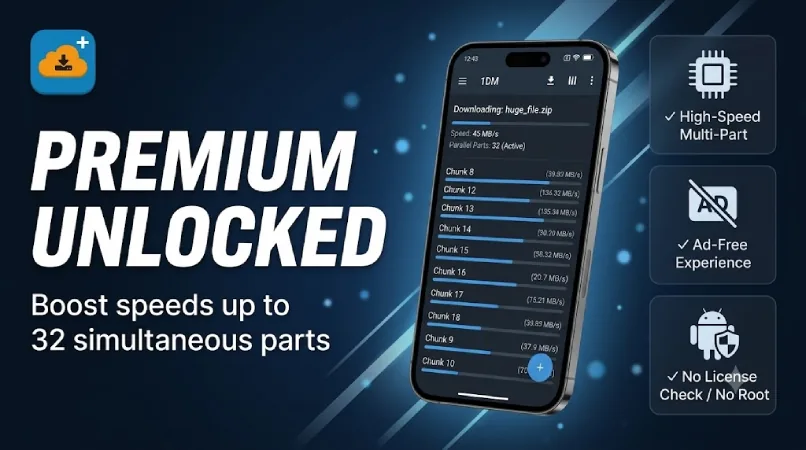
1DM+ MOD APK solves the visibility problem first. Instead of downloads feeling like temporary events happening inside browser tabs, they become active items you can track, pause, resume, queue, and manage in one place.
That may sound like a small upgrade, but it changes the whole workflow. Once you regularly download APKs, ZIP files, videos, or media, the ability to see what is happening matters more than raw speed. Control reduces confusion, and reduced confusion is a major part of why dedicated download managers feel more reliable. That is why the value of 1DM+ is really about workflow quality, not just technical download capability.
What you gain: better queue handling, clearer visibility, less fragility around interrupted downloads, and a workflow that feels intentional rather than improvised.
What you lose: simplicity. If your download habits are very light, 1DM+ can feel like more interface than you need. This is a tool whose value increases with download complexity.
Why ADM and Browser Downloads Still Make Sense for Simpler Download Workflows
ADM still makes sense for users who want a middle ground. It is lighter than 1DM+, more capable than a browser, and often good enough for moderate download habits. If you know browser downloads are not enough but do not want a heavier tool, ADM is still relevant.
Browser downloads also remain reasonable for one-off, low-stakes tasks. If you download small files rarely, there may be no meaningful problem to solve in the first place. Not every user needs a dedicated manager.
This is an important trade-off that many review-style articles skip: 1DM+ is not the best choice because it has more options. It is the best choice only when your behavior justifies those options. If reliability and control are not recurring problems in your download routine, extra management can feel like unnecessary overhead.
How to Tell Whether You Have Reached the "Need a Download Manager" Stage
Best for: users who download APKs regularly, manage multiple large files, save offline media, or are repeatedly annoyed by Android's default download behavior.
Not ideal for: users who only download occasional documents or images and rarely experience interruptions or failed sessions.
Common mistake: installing a dedicated download manager too early, before there is an actual workflow problem to solve. If your frustration level is low, 1DM+ may feel excessive. If your frustration level is already high, it often feels overdue. The right moment to switch is when downloading has clearly become something you need to manage rather than something you occasionally do.
Before You Switch: Is Reliability Actually the Problem You Need to Solve?
Before switching, ask a very simple question: are downloads on your phone a routine or an exception? If they are a routine, the browser is probably no longer the right tool. If they are an exception, the browser may still be enough. The real reason to switch is not feature envy. It is recognizing that your current process has become unreliable enough to justify more control.
If your files often finish downloading but then fail during installation, pair this article with our APK parsing error fix. If your workflow includes installing multiple versions or separate app builds, our clone MOD APK guide is also worth reading. And if you are deciding whether to use the website or the app for file downloads, our ModDroid app vs website guide covers that decision directly.
Is It Worth Switching? Only If Control Matters More Than Simplicity
1DM+ is not the default recommendation for every Android user. It is the recommendation for the user whose downloads have become frequent enough to be annoying.
If you only download occasionally, stay with the browser. If you want a lighter in-between option, ADM still makes sense. If your Android downloads already feel fragile, repetitive, or hard to manage, 1DM+ is probably the best long-term choice because it fixes the workflow rather than just patching around it. The switch is worth making when reliability and control have become more important to you than the simplicity of doing everything through a browser tab.
How to Download 1DM+ MOD APK
Since the modded version is not available on the Google Play Store, you need to install it manually. Follow these steps:
- Enable Unknown Sources: Open Android settings, go to "Security" or "Apps," and enable "Install from Unknown Sources."
- Download the APK: Use the app page link to get the latest 1DM+ MOD APK version.
- Remove Conflicting Versions: Uninstall any incompatible build first if needed.
- Install the APK: Tap the downloaded file and complete installation.
- Start With a Bigger File: Test 1DM+ with your next larger APK, ZIP, or media file first. That is where the workflow improvement becomes most obvious.
You do not need to route every file through 1DM+ immediately. Start with the downloads that usually frustrate you most, then decide whether the workflow difference is worth making permanent.
FAQ
Why do browser downloads fail so often on Android?
Because browsers are designed for web access first, not repeated or heavy download management. Large files and interrupted sessions expose that weakness quickly.
Is 1DM+ better than ADM?
For heavier download workflows, usually yes. ADM is still a good middle-ground option for users who want more control than a browser without adopting a heavier manager.
Who benefits most from 1DM+?
Users who download APKs, archives, videos, or large files regularly and are already frustrated by browser-based downloading on Android.
When is 1DM+ not worth it?
When your downloads are rare, small, and rarely interrupted. In that case, the browser may still be enough.
If Android downloads have become a repeated frustration instead of a simple action, 1DM+ is one of the clearest workflow upgrades you can make.