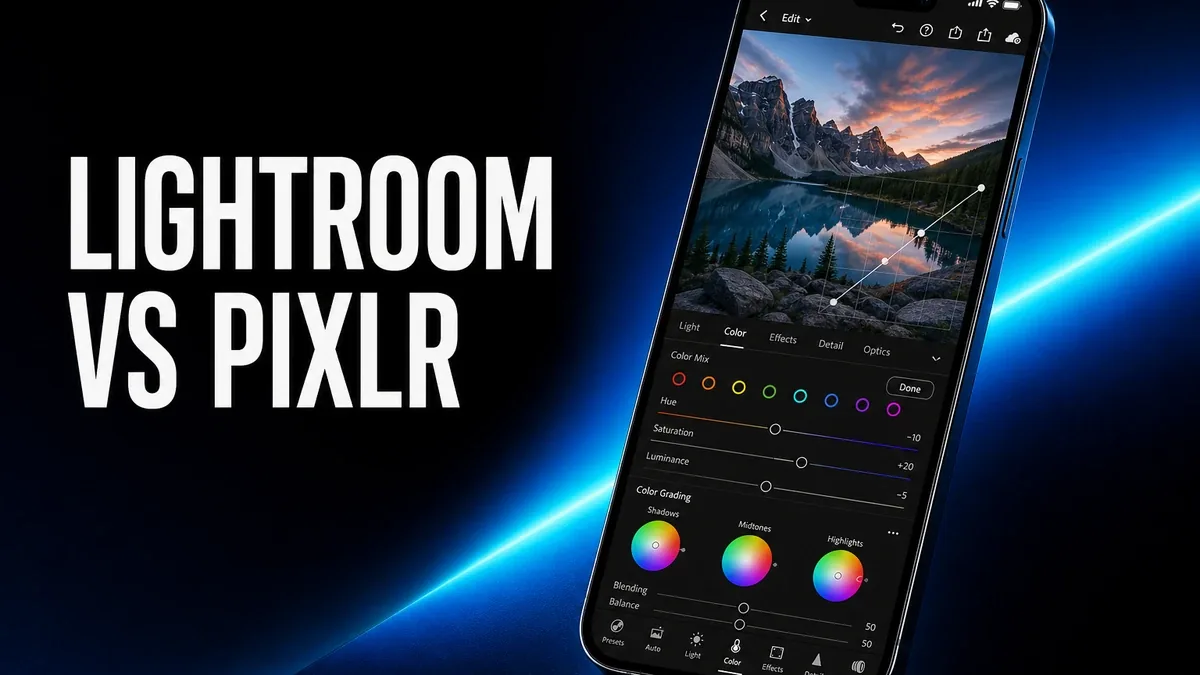
Quick photo apps are excellent when the image is almost ready. They feel weaker when the photo still needs color, tone, and selective control before it deserves any template or filter.
Download Lightroom MOD APK - Premium Unlocked
Lightroom · Pixlr · Photo Editing · Color Control · Android 2026
The Real Question Is Not Which Editor Has More Effects
Mobile photo editing is easy to judge by speed. The app that finishes a look in fewer taps often feels like the winner. That only works when the photo is already close to usable. When exposure, color balance, local adjustments, or RAW flexibility still matter, a faster editor can still be the wrong editor.
The core thesis of this article is simple: Lightroom is better when the photo itself still needs controlled correction, while Pixlr is better when you need flexible image work without entering a denser photo-development workflow. The best Android editor is not the one with the flashiest finishing tools. It is the one that matches how unfinished the photo still is.
Why Color Control and Quick Editing Are Different Jobs
Quick editors are built around finishing momentum. Crop, clean, remove, stylize, export. That is valuable when the image mostly needs packaging. The friction begins when the photo still fails at a deeper level: highlights are gone, skin tones drift, shadows collapse, or one region needs treatment that a global filter cannot solve cleanly.
That is the point where Lightroom starts making more sense. Curves, selective adjustments, color mixing, and more deliberate tone control are not just "extra features." They change the kind of problem the app is designed to solve.
Pixlr remains strong when you want a photo-first editor that stays relatively flexible without becoming a denser development environment. Lightroom becomes stronger once the unfinished part of the image is light and color themselves.
What Lightroom Actually Does Better
Lightroom MOD APK makes more sense when your workflow starts with correction rather than decoration. That is especially true for users who care about consistent looks across multiple shots, selective edits, or more controlled tone work than a quick cleanup app usually encourages.
What you gain: stronger color and tone control, more deliberate selective editing, and a better fit for photos that still need development before they look finished.
What you lose: some speed and lightness. Lightroom can feel denser than a quicker photo editor when all you needed was a simple cleanup pass.
Lightroom is strongest when the image quality itself is the bottleneck. It is weaker when the job is mainly fast social-ready finishing.
Best For, Not Ideal For
Lightroom is best for: users who regularly correct exposure, color, and local detail, and want a more controlled photo-development workflow on Android.
Pixlr is better when: you need flexible photo-first editing without stepping into a denser correction environment. Our Pixlr decision guide covers that path more directly.
Not ideal for Lightroom: users who mainly want one-tap looks, fast cleanup, or the shortest path from phone photo to social post.
Biggest cost: workflow density. Better control often means more decisions before the photo feels done.
Before You Choose Lightroom
Before choosing Lightroom, ask whether the photo fails because it is unfinished in light and color, or because it simply needs cleanup and packaging. If the image itself is mostly fine, a lighter editor may finish the job with less overhead.
If you are still comparing photo-first routes, pair this with our Pixlr guide and the live Moddroid reads on Pixlr vs Canva and Pixlr background remover.
Our Honest Recommendation
Choose Lightroom when the photo still needs controlled correction before it deserves finishing tools. Stay closer to Pixlr when you want flexible image work without entering a denser development workflow.
In short: Lightroom is better for color and tone control. Pixlr is better for lighter photo-first editing.
How to Download Lightroom MOD APK
Since the modded version is not available on the Google Play Store, you need to install it manually. Follow these steps:
- Enable Unknown Sources: Open Android settings, go to "Security" or "Apps," and enable "Install from Unknown Sources."
- Download the APK: Use the app page link to get the latest Lightroom MOD APK version.
- Remove Conflicting Versions: Uninstall the official build first if installation fails due to signature conflict.
- Install the APK: Tap the downloaded file and complete installation.
- Judge It by Correction Need: Edit one difficult photo and ask whether deeper tone control helped, or whether a lighter editor would have been enough.
A photo editor is only the right choice if it matches how unfinished the image still is, not how many effects it can apply afterward.
FAQ
Is Lightroom better than Pixlr?
Not universally. Lightroom is better when color, tone, and selective correction matter. Pixlr is better when you want flexible photo editing with less development density.
Who should use Lightroom on Android?
Users who regularly need controlled exposure, color, and local adjustments rather than one-tap finishing.
When is Lightroom the wrong choice?
When the photo is already close to finished and you mainly need a fast cleanup or social-ready look.
What is the biggest trade-off with Lightroom?
You gain stronger correction control, but you also take on a denser editing workflow with more decisions.
If the photo itself still needs color and tone work before finishing tools matter, Lightroom is one of the stronger Android choices.