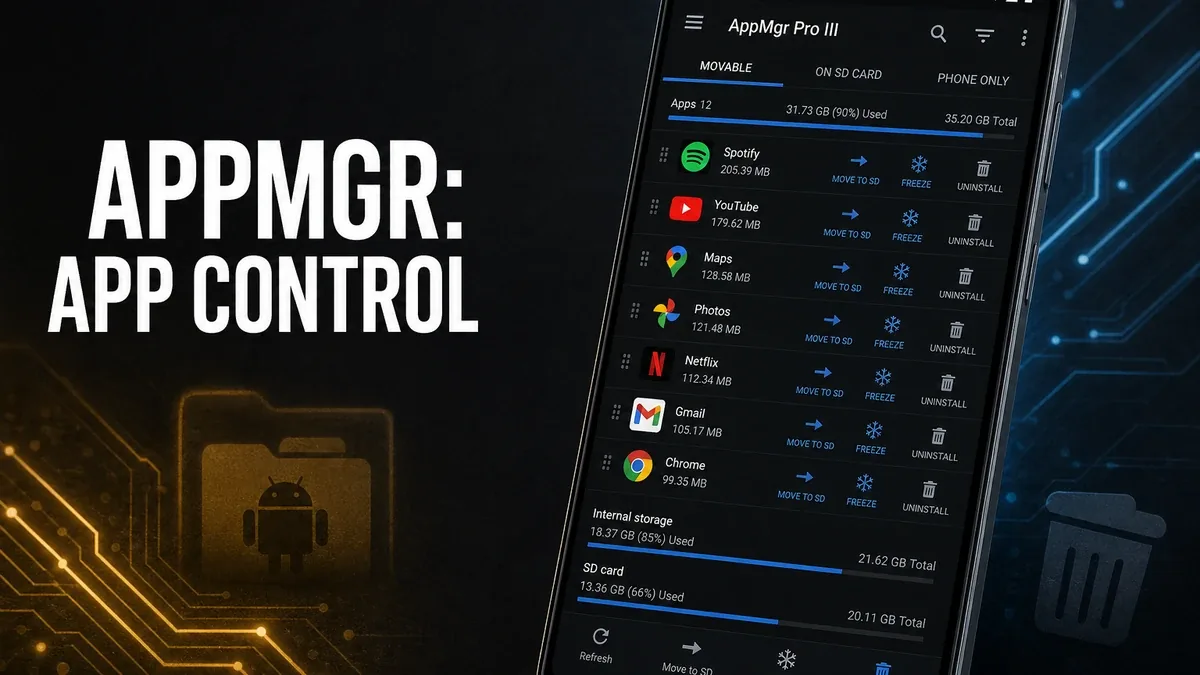
A cleaner can report “1.2 GB freed” after one scan. That number often comes back after a weekend of browsing. If the drawer is still full of carrier bloat, rare installs still wake up, and storage sits under big app packages instead of caches, the unfinished job is app inventory — not another junk score.
Download AppMgr Pro III MOD APK - Patched
AppMgr Pro III · Freeze Apps · Batch Uninstall · App Drawer · Android 2026
The Real Split Is Install Inventory vs Temporary Junk
Phone-speed tools get sold as one category. They are not. Cleaners reclaim temporary files and residual caches that rebuild quickly. App managers act on the install list itself: freeze rare apps so they stop using CPU/RAM without uninstalling, batch-remove packs you no longer open, hide carrier apps from the drawer, and sort installs by size before deciding what leaves.
The core thesis of this article is simple: AppMgr Pro III is better when the bottleneck is the install base — freeze / hide / batch-uninstall decisions you can finish in one inventory pass — while cleaner apps remain better when the bottleneck is temporary junk that a one-tap reclaim actually removes. The core trade is judgment load for a quieter app list, not a higher free-space headline.
Why “Cleaned 1 GB” Often Misses the Real Weight
Temporary caches grow again after Chrome, WhatsApp media, and app updates. A cleaner is still the right fix when that is the cycle. It is the wrong first fix when storage is blocked by three large games you have not opened since last month, or when a banking-promo / carrier app still sits in the drawer every time you swipe.
Two concrete inventory moves matter more than another clean score: (1) sort apps by size and batch-uninstall packs you will not reopen this week; (2) freeze keep-but-quiet apps so they stop background work without losing the install. A third move — hide system or preloaded apps from the drawer — cuts visual clutter without force-removing what you might need later.
AppMgr Pro III is built for those list decisions. Cleaners remain complementary when residual files and browser leftovers are the rebuild problem. See when CCleaner is worth using. If the mystery is slow charging on one cable, that is measurement, not inventory. See when Ampere is worth using.
What AppMgr Pro III Actually Does Better
AppMgr Pro III MOD APK earns the install when you can open the app list, multi-select, and finish freeze / move / uninstall in one short session instead of tapping Settings → Apps one package at a time.
What you gain: a quieter drawer and install base after one inventory pass (freeze keepers, batch-remove dead apps, hide preloaded noise), plus size-based sorting so big unused packages surface first.
What you lose: one-tap “clean everything” simplicity. You must decide which of those large games still count as “maybe later” versus “gone.”
AppMgr Pro III is strongest when 5–15 rarely used installs still own storage or drawer space. It is weaker when the only issue is cache that returns after one heavy-browse evening.
Best For, Not Ideal For
AppMgr Pro III is best for: users who can name unused packages (old games, trial tools, carrier extras) and will freeze or batch-uninstall them in one sitting.
Cleaner apps are better when: the weekly pain is residual junk and temporary files that shrink and return, not install inventory.
Not ideal for AppMgr Pro III: phones with a lean app list already, or users who will not choose freeze versus uninstall and only want a magic free-space button.
Biggest cost: decision load per package. The unit of cost is not battery anxiety — it is minutes spent adjudicating each install so the list actually shrinks.
Common mistake: running a cleaner after every “phone feels full,” then never sorting apps by size or freezing the three large games that never leave storage.
Before You Choose AppMgr Pro III
Before choosing AppMgr Pro III, open Settings storage and ask whether the biggest chunks are app packages you recognize, or “system / other / cache” noise. Recognizable dead apps → inventory tool. Rebuilding temp junk → cleaner first.
For install friction, keep the APK parsing error fix and the MOD APK safety guide nearby.
Our Honest Recommendation
Choose AppMgr Pro III when freeze / hide / batch-uninstall will change the install list in one pass. Choose cleaners when temporary reclaim is the unfinished weekly job.
In short: AppMgr Pro III is better for install inventory decisions. Cleaners are better for temporary clutter scores.
How to Download AppMgr Pro III MOD APK
Since the modded version is not available on the Google Play Store, you need to install it manually. Follow these steps:
- Enable Unknown Sources: Open Android settings, go to "Security" or "Apps," and enable "Install from Unknown Sources."
- Download the APK: Use the app page link to get the latest AppMgr Pro III MOD APK version.
- Remove Conflicting Versions: Uninstall the official build first if installation fails due to signature conflict.
- Install the APK: Tap the downloaded file and complete installation.
- Judge It by Inventory Pass: Sort by size, freeze or uninstall at least three real unused apps, clear one carrier/preloaded item from the drawer view, then ask whether the phone is quieter than after a junk-only clean that refilled overnight.
AppMgr only works if the install list changes. A GB figure that returns after browsing is a cleaner win, not an inventory win.
FAQ
Is freeze better than uninstall?
Freeze keeps the package for later while stopping active background use. Uninstall frees space when you are sure you will not reopen the app this month.
Who should use AppMgr Pro III?
Users who can batch-review rare installs and preloaded drawer clutter, not only run one-tap junk scans.
When is AppMgr Pro III the wrong choice?
When the only problem is temporary cache that rebuilds, or when the install list is already lean.
What is the biggest trade-off with AppMgr Pro III?
You gain a quieter install base, but every freeze or uninstall requires a real keep-or-drop judgment.
If storage and drawer noise live in apps you can name, AppMgr Pro III is clearer than another temporary free-space score.