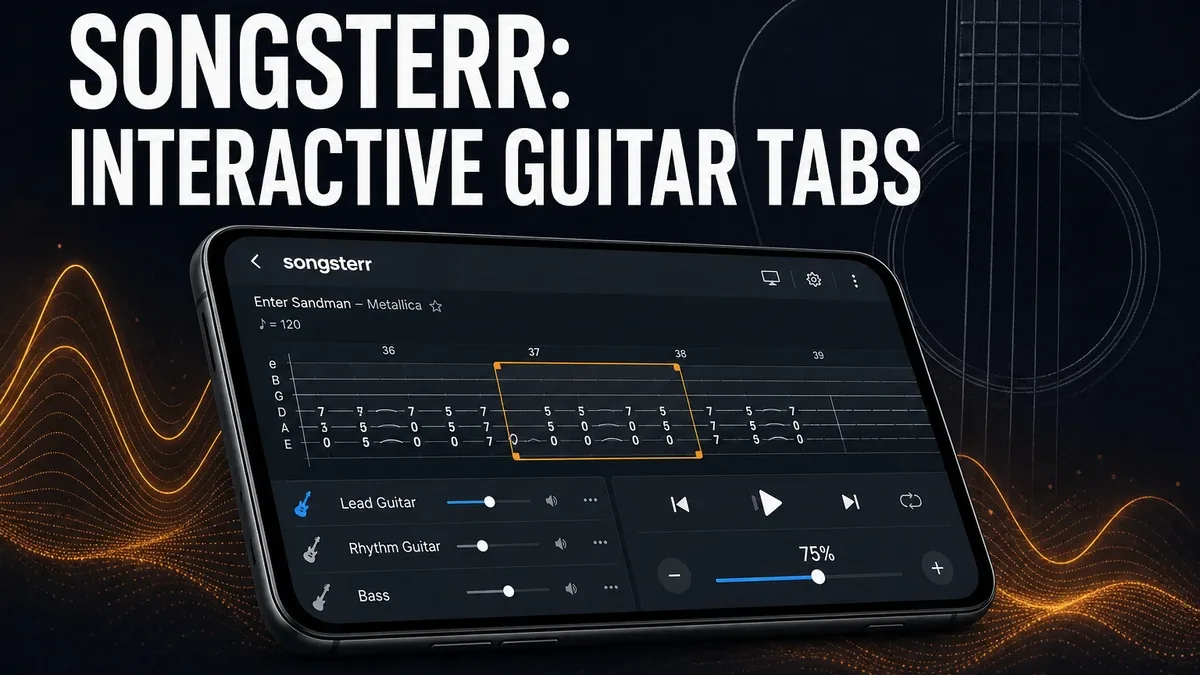
Static guitar tabs tell you what to play. Interactive tab players tell you when to play it, how slow to learn it, and which bar to isolate until the riff finally sticks.
Download Songsterr MOD APK - Premium Unlocked
Songsterr · Guitar Tabs · Bass Drums · Practice Tools · Android 2026
The Real Question Is Not Whether Tabs Exist Online
Guitarists can find chords and tabs almost anywhere. That is no longer the scarce resource. The scarce resource is a practice loop that stays synced to the song: slow a hard bar, repeat it, mute one instrument, then bring the full section back to tempo without losing place.
The core thesis of this article is simple: Songsterr is better when you need interactive, play-along tablature with loop and speed control, while beginner course apps are better when you still need guided fundamentals before songs matter. The best practice app is not the one with the biggest catalog headline. It is the one that matches whether your bottleneck is reading a song or learning how to play an instrument from zero.
Why Interactive Tabs Solve a Different Problem Than Lesson Apps
Course-style music apps are strongest when the user still needs orientation: where hands go, what to practice today, how to build a first routine. That is useful, but it is not the same job as learning a specific song section under tempo control.
Songsterr becomes relevant once the user already has enough technique to follow tabs and now needs a synchronized player for real repertoire. Looping measures, slowing playback, and isolating instruments turn a static tab dump into a practice workstation.
This also separates Songsterr from piano coach apps that keep users inside guided prompts. The decision here is repertoire practice, not whether an app can become a permanent coach.
What Songsterr Actually Does Better
Songsterr MOD APK makes more sense when your practice goal is mastering song sections with accurate tabs, multi-instrument parts, and playback tools that stay locked to the chart.
What you gain: clearer play-along practice, stronger control over difficult bars, and a more useful path from "I found the tab" to "I can play the section."
What you lose: some beginner scaffolding. Songsterr assumes you can already use tabs well enough for song work to matter.
Songsterr is strongest for repertoire practice. It is weaker when you still need a zero-to-one instrument course before songs make sense.
Best For, Not Ideal For
Songsterr is best for: guitar, bass, or drum players who want interactive tabs with loop, tempo, and instrument isolation for song practice.
Beginner lesson apps are better when: you still need guided fundamentals before repertoire. If piano onboarding is your stage, that is a different tool category than tab practice.
Not ideal for Songsterr: absolute beginners who cannot yet use tabs, or users who only want lyric chords without a practice player.
Biggest cost: practice specificity. A strong song tool will not replace a full beginner curriculum if foundations are still missing.
Before You Choose Songsterr
Before choosing Songsterr, ask whether your friction is song sections you cannot lock in, or fundamentals you have not built yet. If the riff is the problem, interactive tabs help. If hand position and basic reading are still unclear, start earlier in the learning stack.
For install friction, keep the APK parsing error fix and the MOD APK safety guide nearby.
Our Honest Recommendation
Choose Songsterr when you need interactive tabs to practice real songs with loop and tempo control. Stay with beginner course tools when foundations are still the barrier.
In short: Songsterr is better for song practice. Lesson apps are better for first skills.
How to Download Songsterr MOD APK
Since the modded version is not available on the Google Play Store, you need to install it manually. Follow these steps:
- Enable Unknown Sources: Open Android settings, go to "Security" or "Apps," and enable "Install from Unknown Sources."
- Download the APK: Use the app page link to get the latest Songsterr MOD APK version.
- Remove Conflicting Versions: Uninstall the official build first if installation fails due to signature conflict.
- Install the APK: Tap the downloaded file and complete installation.
- Judge It by One Hard Bar: Loop a difficult section and ask whether the player helped you lock it in faster than a static tab screenshot would have.
A tab app is only worth installing if it improves how you practice songs, not if it only gives you another place to read chords.
FAQ
Is Songsterr better than free online tabs?
For practice, often yes. The value is the synchronized player with loop and speed control, not just access to notes.
Who should use Songsterr?
Players who already understand tabs and need interactive song practice for guitar, bass, or drums.
When is Songsterr the wrong choice?
When you still need a beginner course before song tabs can be useful.
What is the biggest trade-off with Songsterr?
You gain stronger repertoire practice tools, but you get less hand-holding for absolute beginners.
If your real bottleneck is locking in song sections with tempo and loop control, Songsterr is one of the stronger Android tab practice options.